

Audience Management
Audience Management
Unengaged subscribers are a major concern for proper list management as they can hurt your sending reputation over time. The longer they remain unengaged, the greater the likelihood that future emails will end up in the junk folder or spam filter. To avoid this situation, a routine re-engagement campaign is recommended. Send your unengaged subscribers a targeted email acknowledging that they haven’t opened or clicked any messages in a while, and simply ask if they want to continue to receive your emails.
Facilitate Opt-out Requests
Facilitate Opt-out Requests
It’s crucial that you make unsubscribing to your emails as easy for your contacts as subscribing was in the first place. Never attempt to hide the unsubscribe link from a subscriber and if they’d like to unsubscribe themselves instead of having you facilitate it on their behalf, make the option obvious.
Styling an unsubscribe link
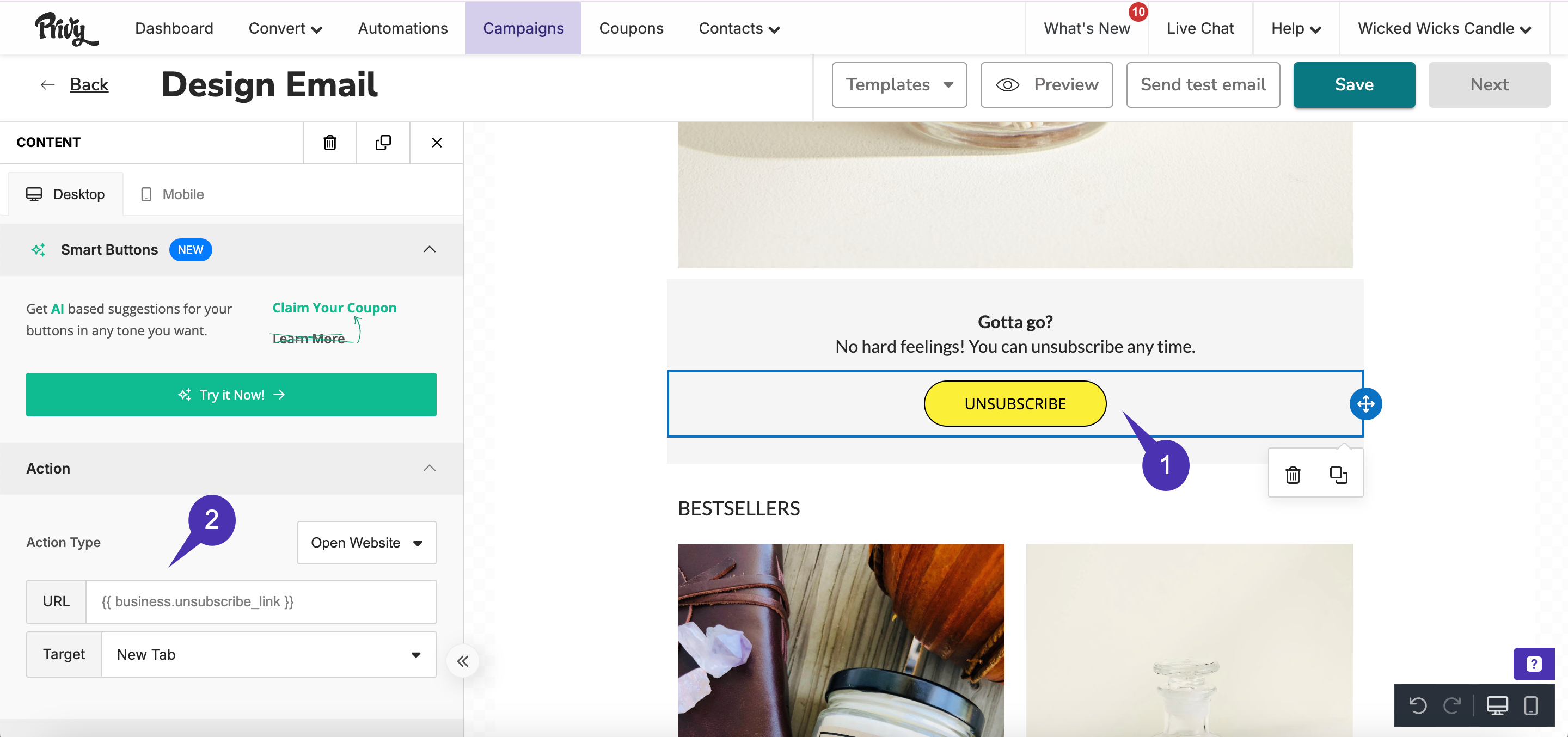
To style the unsubscribe link in your email:- Locate and select the desired email to access its details.
- Select the Edit design to access the email editor.
- Drag a Button element from the Content menu on the left side. Click on the button to edit its settings and text.
-
Copy and paste the following variable into the button’s URL on the left side:
{{ business.unsubscribe_link }} - Once the merge tag is added, style the unsubscribe button as you normally would with any other button, and then Save your changes.
{{ business.unsubscribe_link }} — a third-party unsubscribe URL does not hide the footer and does not sync to Privy’s suppression list.
To add your business mailing address, drag a Text element from the Content menu, click Merge Tags in the toolbar, and choose Business Address ({{ business.address }}). Style it however you want. Use the merge tag, not a typed-out address, so updates in Sender Options stay current.