

Abandoned Cart Emails
Trigger and Flow Filters
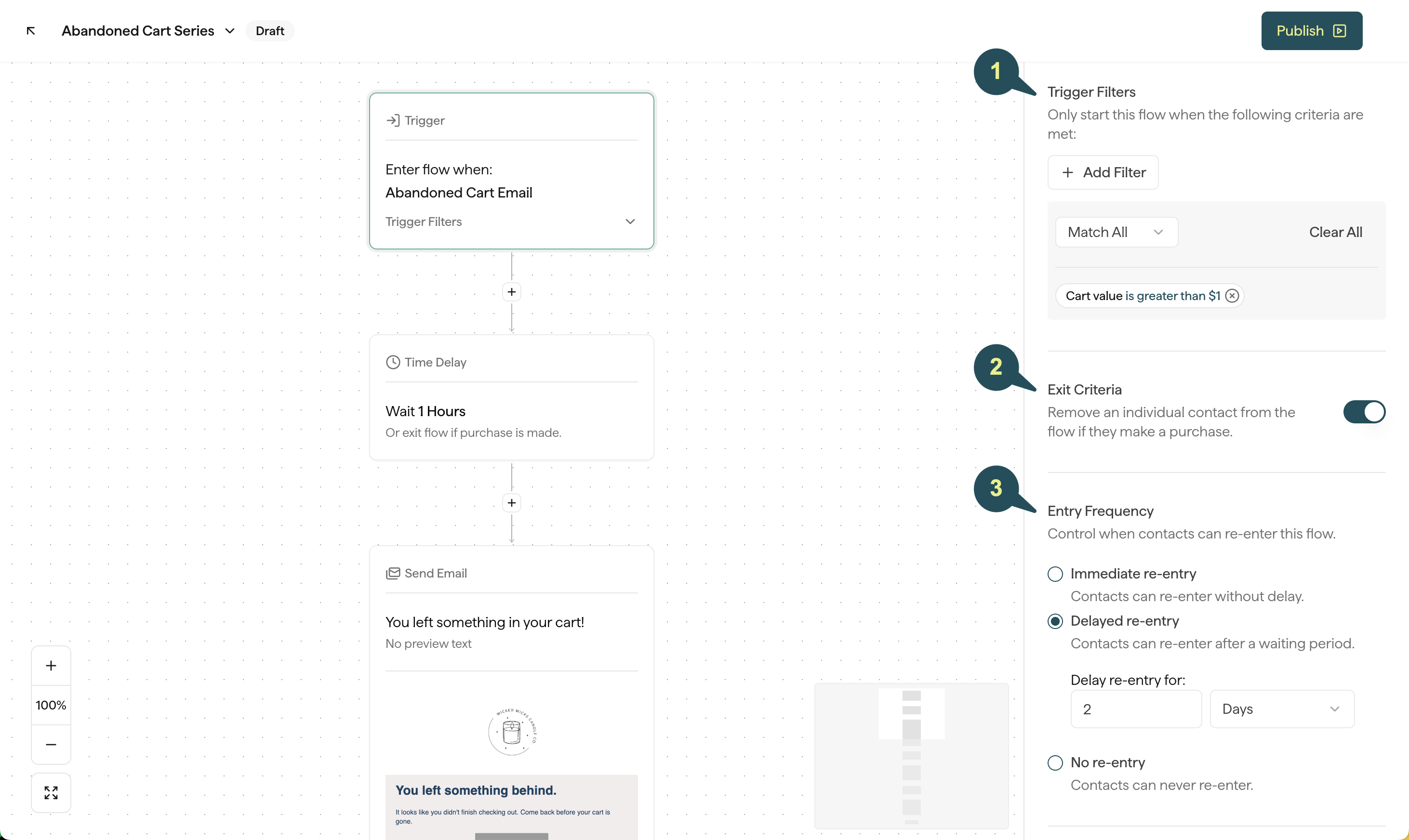
On an Abandoned Cart Flow, open the Trigger block. Under Flow Filters, limit who enters:- Cart Value: Only send when the cart total is in a range you set.
- Added Product: Only send when the cart includes — or does not include — specific products.
- Added from Collection: Only send when the cart includes items from specific collections.
Advanced Content Ideas
Use those filters to make the Abandoned Cart Flow more specific:- Tiered discounts: Offer one incentive for lower-value carts and another for higher-value carts — for example, carts under $75 get 10% off, and carts over $75 get $10 off. Use a Split Flow on cart value, or start from the Cart Abandonment: High vs Low Value Cart template.
- Free shipping: Target carts over your free-shipping threshold and remind shoppers they already qualify.
- Nice-to-know information: Target products or collections with social proof or details that help someone decide.
- Customization options: If you offer engraving, monograms, custom colors, or gift wrapping, target those carts and highlight the option.
Purchase Follow Up Emails
Trigger and Flow Filters
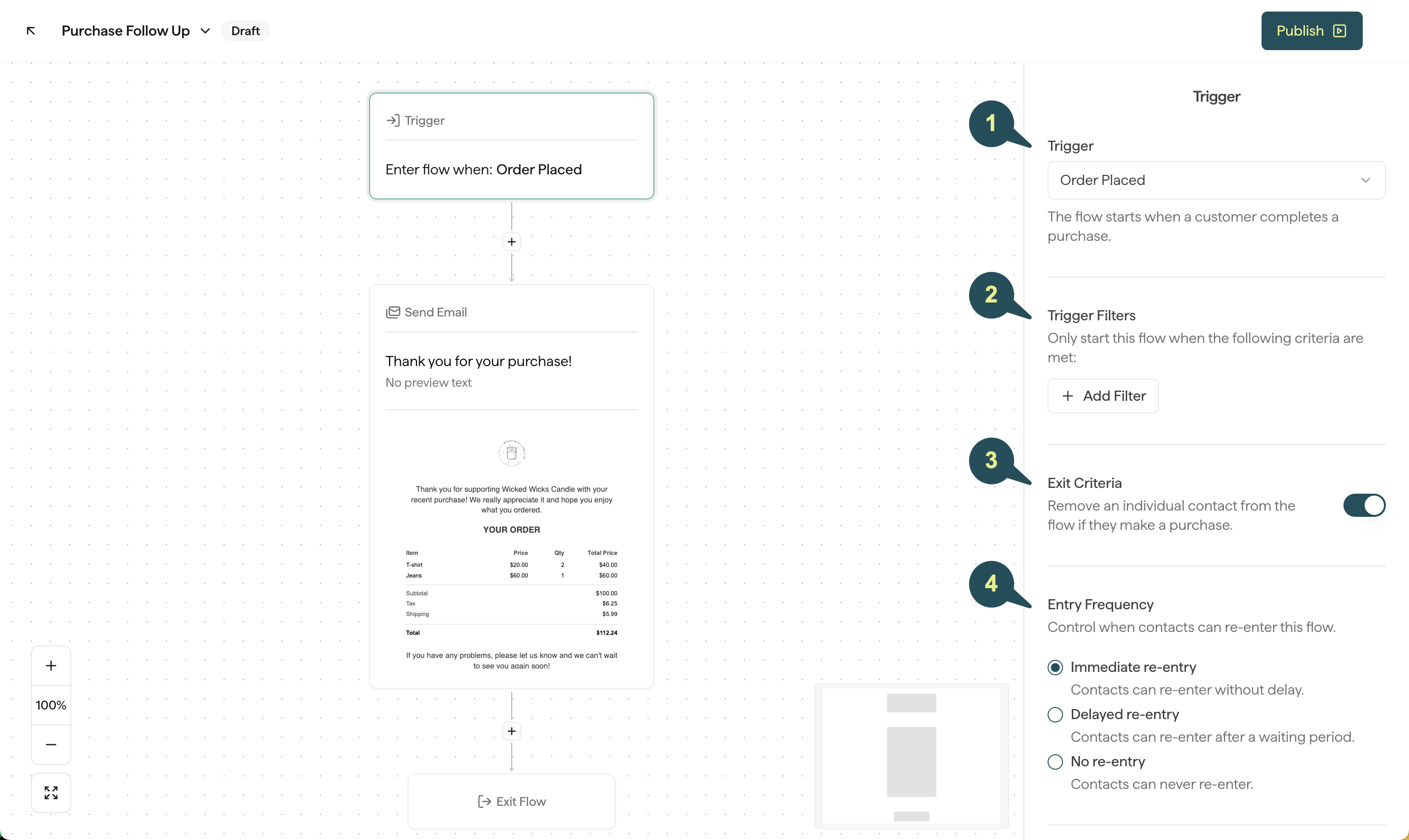
On a Purchase Follow Up Flow, open the Trigger block and choose Order Placed or Order Received. Order Placed starts when the order is created. Order Received starts after the order is delivered.Order Received depends on shipping status updates from the default carrier on your Shopify store.
- Purchased Product: Only send when the order includes — or does not include — specific products.
- Purchased from Collection: Only send when the order includes items from specific collections. If your store is on BigCommerce, this filter is Purchased from Category and uses your categories.
- Order Value: Only send when the order total is in a range you set.
- Order Count: Only send based on how many times they’ve ordered — for example, a first order versus a repeat order.
Advanced Content Ideas
Use the trigger and filters to make the post-purchase experience feel personal:- Ask for feedback: If you don’t use a third-party review app, send a Purchase Follow Up asking for a review about 30 days after purchase — or use Order Received so they already have the product.
- New customer discount: Use Order Count to target a first order, and include a coupon for their next purchase.
- High value = high reward: Use Order Value, or a Split Flow on order value, to thank high-value customers — for example, a note from the founder plus a discount for their next order.
- Care instructions: When a product or collection needs special care or assembly, filter on Purchased Product or Purchased from Collection (or Purchased from Category on BigCommerce) and tell customers how to get the most from it.
- Cross sell: A couple of weeks after they place the order, suggest a product that pairs well — and a small incentive if you want to encourage a second order.
Things to consider
Advanced Flows work when you already know something extra about the shopper — cart value, what they bought, or how many times they’ve ordered. Use that to choose the message. Match timing and incentives to how your brand actually operates:- How long do orders take to ship or arrive?
- How long do your products last?
- What’s your average order value?