

Welcome New Customers
A new customer already gets your store’s order confirmation and shipping emails. A Purchase Follow Up Flow is how you welcome them — and give them a reason to place a second order.Build your Flow
From Flows, click Create Flow and select Purchase Follow Up. Open the Trigger block and choose Order Placed (when the order is created) or Order Received (when it’s delivered). Under Flow Filters, add Order Count and target a first order. If you’re offering a discount, attach the coupon on the email step.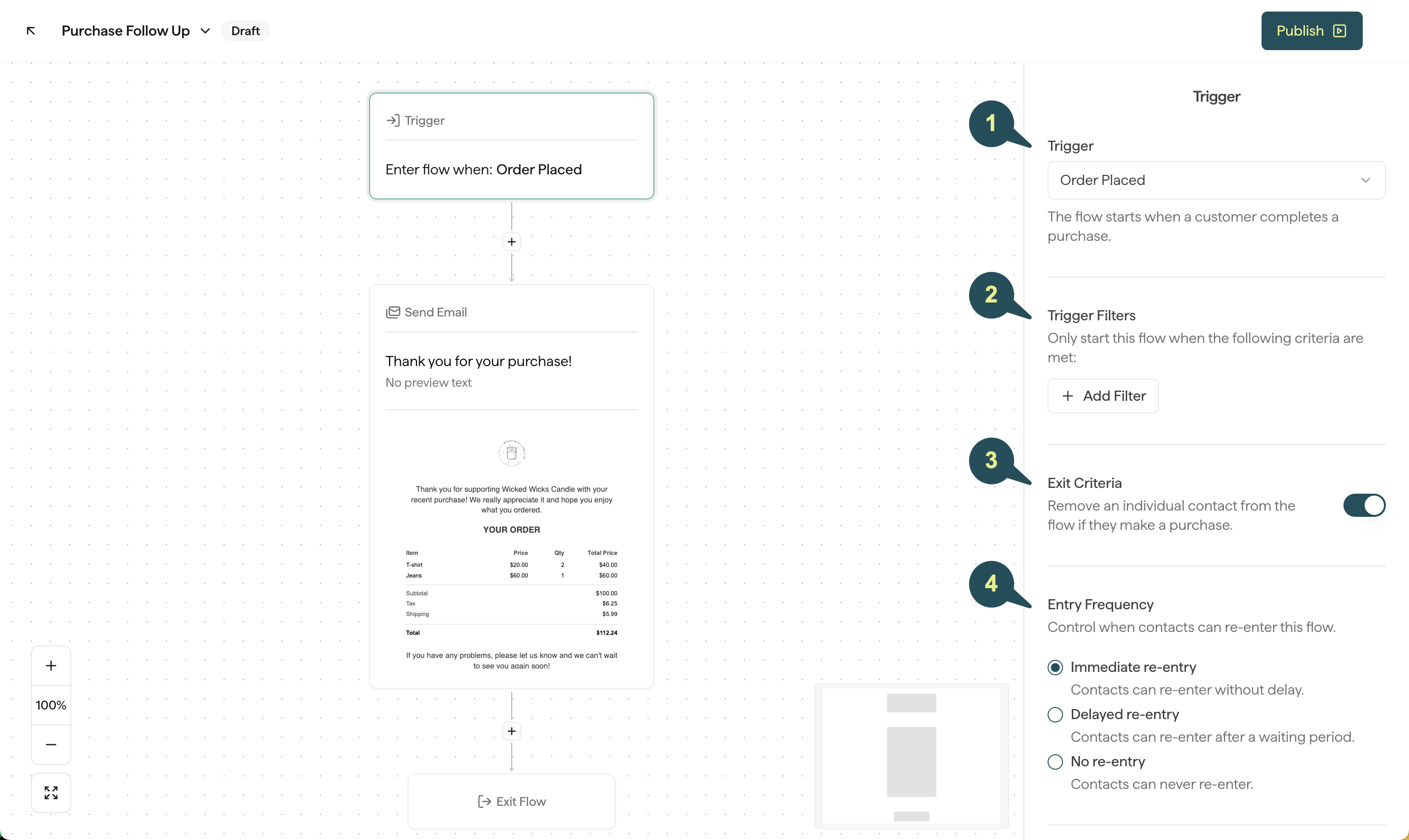
Best Practices
When you write to a new customer, keep these in mind:- Use specific language like “first order” and “welcome”.
- Personalize the subject line and/or email body with the contact’s first name.
- Watch your timing. Don’t offer a limited-time next-order discount if the first order hasn’t shipped yet — or use Order Received so they already have the product.
- Get personal — share your story so customers know who they’re supporting.
Nurture Repeat Customers
After a strong first impression, treat loyal customers differently. A few approaches:Send a personal thank you note from your team or founder
Send a personal thank you note from your team or founder
Customers who keep buying from you deserve to feel noticed. Send a short note from your team that thanks them and says what their support means. Personalize it with their first name.
Reward high value customers
Reward high value customers
Use Order Value so only higher-value orders enter this Flow — for example, a 15% discount after someone spends over $100. To thank high-value customers in the same Flow as everyone else, add a Split Flow on order value.
Cross sell new products
Cross sell new products
Use Purchased Product or Purchased from Collection (or Purchased from Category on BigCommerce) so the Flow only starts when the order includes — or doesn’t include — certain items. Then recommend something that pairs well.Repeat customers already trust you, so they’re the ones most likely to take a recommendation.
Build your Flow
Create a second Purchase Follow Up Flow the same way. On the Trigger block, set Order Count for a repeat order. Add Order Value, Purchased Product, or Purchased from Collection (or Purchased from Category on BigCommerce) when the message should only go to some of those orders. If you’re offering a discount, attach the coupon on the email step.Best Practices
When you write to repeat customers, keep these in mind:- Acknowledge that they keep supporting your business.
- Personalize the subject line and/or email body with the contact’s first name.
- Ask for feedback whenever you can.